Rational Oven Troubleshooting Manual ー Comprehensive Guide
This manual provides detailed guidance for diagnosing and resolving issues with Rational combi ovens, ensuring optimal performance and minimizing downtime in professional kitchens.
Rational ovens utilize a sophisticated error code system to communicate potential malfunctions within their complex systems. These messages aren’t simply random alerts; they are crucial diagnostic tools, pinpointing specific issues ranging from temperature inconsistencies to water supply disruptions or electrical component failures. Understanding these codes is paramount for kitchen efficiency and preventing costly downtime.
Each error code corresponds to a defined problem, allowing for targeted troubleshooting. Ignoring these signals can lead to escalating issues and potentially require extensive repairs. This guide will help you decipher these codes, enabling swift identification and resolution of problems, ultimately maintaining peak oven performance. Prompt attention to error messages ensures continued operational reliability.
Understanding the SCC (Self Cooking Center) System
The Rational Self Cooking Center (SCC) represents a significant advancement in combi oven technology, integrating numerous sensors and controls for automated cooking processes. This intelligent system monitors critical parameters like temperature, humidity, and cooking time, adjusting settings to achieve consistent results. However, its complexity also means a wider range of potential issues can arise.
The SCC relies heavily on its PCB (Printed Circuit Board) and SD card for operation. Software updates and factory resets, often managed through the SD card, are vital for optimal performance. Post-2011 models feature a PCB battery reset procedure for minor software glitches. Understanding the interplay between these components is key to effective troubleshooting and maintaining the SCC’s advanced functionality.
Importance of Regular Maintenance
Proactive maintenance is paramount for ensuring the longevity and reliability of your Rational combi oven. Neglecting routine tasks significantly increases the risk of unexpected breakdowns and costly repairs. Regular cleaning and descaling are crucial to prevent mineral buildup, which can impact heating efficiency and water supply. Consistent filter replacements maintain optimal steam generation and prevent blockages.
Furthermore, periodic inspection of electrical connections safeguards against potential hazards and ensures proper functionality. Addressing minor issues promptly, before they escalate, minimizes downtime and preserves the oven’s performance. A well-maintained SCC translates to consistent cooking results, reduced energy consumption, and a prolonged operational lifespan, ultimately maximizing your investment.
Common Rational Oven Error Codes & Solutions
This section details frequently encountered error codes in Rational ovens, providing clear diagnostic steps and practical solutions for efficient troubleshooting and repair.
Temperature Sensor Errors
Temperature sensor malfunctions are a common source of issues in Rational ovens, impacting cooking accuracy and overall performance. These errors often manifest as discrepancies between the set and actual oven temperatures, leading to inconsistent results. Accurate temperature control is vital for food safety and quality, making prompt diagnosis crucial.
Troubleshooting begins with verifying the sensor’s physical connection and inspecting for any visible damage. A faulty sensor may require calibration or complete replacement. Understanding the specific error code related to the temperature sensor is key to pinpointing the problem. Regular maintenance and calibration, as outlined in the service manual, can prevent these errors. Ignoring temperature sensor issues can lead to further complications and potentially damage other oven components.
Error Code: Temperature Sensor Malfunction ‒ Diagnosis
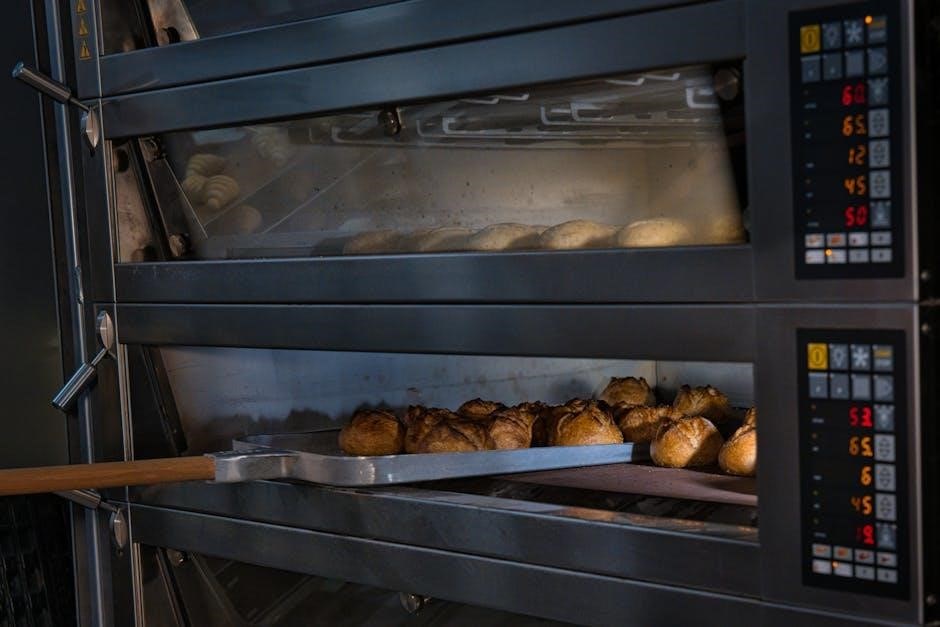
When a “Temperature Sensor Malfunction” error appears, the initial diagnostic step involves visually inspecting the sensor itself for any physical damage – cracks, breaks, or corrosion. Confirm the sensor is securely connected to the control board; a loose connection can trigger false readings. Utilize a multimeter to test the sensor’s resistance, comparing the reading to the specifications in the Rational service manual.
Accessing diagnostic menus via the oven’s control panel can reveal specific sensor readings and error details. If the sensor consistently displays inaccurate values or no reading at all, it likely requires replacement. Document all diagnostic steps and readings for service records. Remember to always disconnect power before handling any electrical components.
Error Code: Temperature Sensor Malfunction ー Calibration
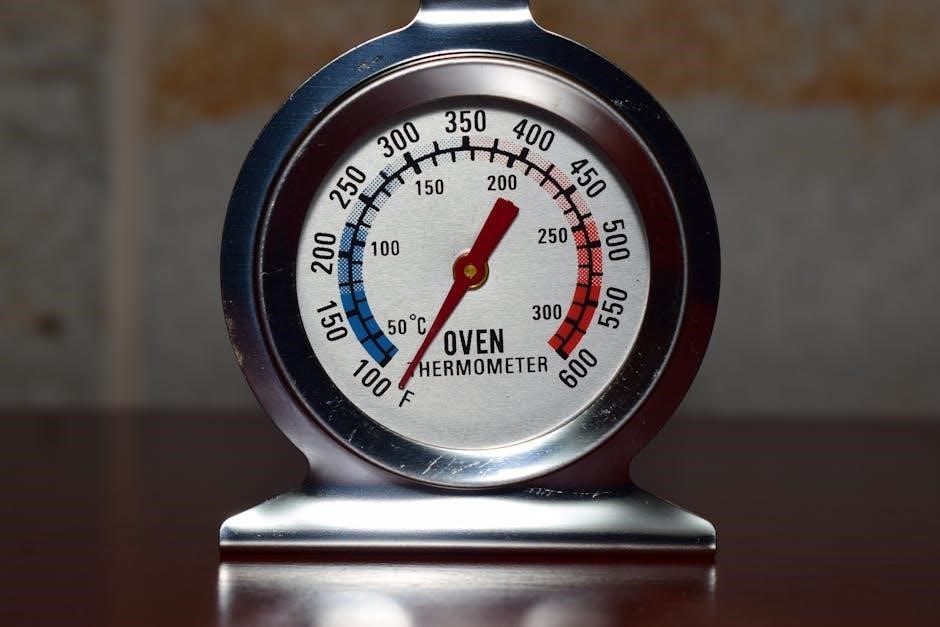
If a temperature sensor isn’t faulty but displays slight inaccuracies, calibration may be possible. Access the oven’s calibration menu through the control panel – this function is typically restricted to authorized personnel. Follow the on-screen prompts carefully, using a calibrated reference thermometer to verify the oven’s temperature at specific setpoints.
Adjust the sensor’s reading incrementally until it matches the reference thermometer. Document the original and adjusted values. Incorrect calibration can negatively impact cooking results, so precision is crucial. If calibration fails to resolve the issue, or if the sensor consistently drifts out of calibration, replacement is recommended. Always consult the Rational service manual for specific calibration procedures for your oven model.
Water Supply Issues
Rational combi ovens rely on a consistent and clean water supply for optimal operation. Error codes related to water often indicate low pressure, filter clogging, or issues with the water inlet valve. Low water pressure can hinder steam generation, impacting cooking quality and potentially triggering safety shutdowns. Inspect the water supply line for kinks or obstructions, and verify that the water pressure meets the oven’s specifications.
Regularly check and replace the water filter to prevent mineral buildup and ensure a clean water supply. A clogged filter restricts water flow and can lead to error messages. Addressing water supply issues promptly is vital for maintaining oven performance and preventing damage to internal components.
Error Code: Low Water Pressure ー Causes
A “Low Water Pressure” error on a Rational oven signals insufficient water reaching the unit, disrupting steam generation and potentially halting operation. Common causes include a shut-off valve not fully open, kinks or obstructions within the water supply line, or a reduction in municipal water pressure. Scale buildup within the water pipes can also restrict flow over time.
Furthermore, a faulty water inlet valve inside the oven itself can prevent proper water intake, even with adequate external pressure. Check for any recent plumbing work in the building that might have affected water pressure to the oven’s location. Thoroughly investigate the entire water supply path to pinpoint the source of the issue.
Error Code: Water Filter Clogging ー Replacement
A clogged water filter is a frequent cause of operational issues in Rational ovens, triggering error codes related to water quality or pressure. Over time, mineral deposits, sediment, and other impurities accumulate within the filter, restricting water flow and impacting steam generation. Regular filter replacement is crucial for maintaining optimal performance and preventing damage to internal components.
The replacement process is straightforward: first, shut off the water supply to the oven. Locate the water filter housing (refer to your oven’s manual for specific location). Remove the old filter and dispose of it properly. Install a new, genuine Rational water filter, ensuring a secure fit. Finally, restore the water supply and run a cleaning cycle to flush any remaining debris from the system.
Electrical Component Failures
Electrical faults represent a significant category of Rational oven issues, often manifesting as error codes related to power supply or heating elements. These failures can stem from loose connections, damaged wiring, or component burnout. Addressing these problems requires careful diagnosis and, in many cases, professional expertise due to the high voltages involved;
Common symptoms include the oven failing to power on, intermittent operation, or uneven heating. Initial troubleshooting involves checking all power connections and fuses. If the issue persists, testing the heating elements for continuity is essential. Caution: Electrical work should only be performed by qualified technicians to avoid safety hazards and ensure proper repair.
Error Code: Power Supply Issues ー Checking Connections
When encountering power supply error codes, the first step is a thorough inspection of all electrical connections. Begin by verifying the main power supply to the oven is functioning correctly and meets the specified voltage requirements. Carefully examine the power cord for any signs of damage, such as fraying or exposed wires.
Next, check the connections at the circuit breaker and within the oven’s control panel. Ensure all wires are securely fastened and free from corrosion. Loose connections are a frequent cause of intermittent power failures. If possible, use a multimeter to test voltage levels at various points in the circuit to pinpoint the source of the problem. Remember safety first – disconnect power before any internal inspection!

Error Code: Heating Element Failure ー Testing & Replacement
A heating element failure necessitates careful testing and, potentially, replacement. Begin by visually inspecting the heating elements for any physical damage, such as breaks or burns. Use a multimeter set to the resistance setting to test the continuity of each element; a lack of continuity indicates a failed element. Always disconnect power before testing!
If an element fails the continuity test, replacement is required. Obtain the correct replacement part from a reputable supplier like PartsTown, referencing your oven’s model number. Follow the manufacturer’s instructions for element replacement, ensuring proper grounding and secure connections. After replacement, retest the element to confirm functionality before restoring power to the oven.
Advanced Troubleshooting Techniques
Addressing complex issues requires delving into the PCB, software, and SD card functionality, often demanding specialized knowledge and tools for effective resolution.
PCB (Printed Circuit Board) Issues

The PCB is the central nervous system of the Rational oven, controlling numerous functions. For SCC models post-2011, a simple reset can sometimes resolve minor glitches. This involves disconnecting power, removing the PCB battery for two minutes, reinserting it, and then powering the oven back on.
However, persistent issues may indicate a more significant PCB problem. Updating the oven software using a genuine Rational SD card is a crucial step, as outdated firmware can cause malfunctions. If software updates fail, and professional service cannot rectify the problem, PCB replacement becomes a likely necessity.
Access to factory reset software is restricted to authorized Rational technicians due to its potential to disrupt oven functionality if used incorrectly. Always prioritize genuine Rational parts and qualified service personnel when dealing with PCB-related concerns.
PCB Battery Reset Procedure (Post-2011 Models)
For Rational Self Cooking Center (SCC) ovens manufactured after 2011, a PCB battery reset is a straightforward initial troubleshooting step. Begin by completely disconnecting the oven from the power supply to ensure safety. Locate the PCB battery – its position varies by model, so consult your service manual if needed.
Carefully remove the battery from its socket and allow two minutes to elapse. This allows the PCB to discharge any residual power, effectively clearing its temporary memory. Reinsert the battery securely, ensuring correct polarity.
Reconnect the oven to the power supply and power it on. Observe if the error has been resolved. This reset can often address minor software glitches. If the problem persists, further diagnostics and potential PCB replacement may be required.
PCB Replacement Considerations
Replacing the Printed Circuit Board (PCB) in a Rational oven is a significant repair and should be carefully considered. Before proceeding, exhaust all other troubleshooting options, including software updates and SD card diagnostics, as PCB failure is often a last resort diagnosis.
Ensure you obtain a genuine Rational replacement PCB compatible with your specific oven model. Incorrect parts can cause further damage. PCB replacement typically requires specialized knowledge and should ideally be performed by a qualified Rational technician.
After installation, a thorough system check and calibration are crucial to guarantee proper functionality. Consider the cost of the PCB and labor versus the oven’s overall lifespan when making a replacement decision. If the oven is nearing the end of its service life, repair may not be economically viable.
Software & Firmware Updates
Regular software and firmware updates are vital for maintaining optimal Rational oven performance and addressing potential issues. These updates often include bug fixes, improved functionality, and enhanced diagnostic capabilities. Updates can typically be performed using an SD card, ensuring a straightforward process.
Download the latest software version from the official Rational website or through a certified dealer. Copy the file to a formatted SD card and insert it into the oven. Follow the on-screen prompts to initiate the update process. Do not interrupt the update, as this could corrupt the system.
For complex issues, a factory reset using Rational’s specialized software may be necessary, but this requires technician access. Always back up critical data before performing a factory reset.
Updating Oven Software with SD Card
Updating your Rational oven’s software via SD card is a common and relatively simple procedure. First, download the latest software version from Rational’s official website, ensuring it’s compatible with your specific oven model. Then, format a suitable SD card – typically 2GB or less – to FAT32 file system.
Copy the downloaded software file directly onto the root directory of the SD card. Insert the SD card into the oven’s designated slot. The oven should automatically detect the update and prompt you to begin the installation process. Crucially, do not interrupt the update process – avoid turning off the oven or removing the SD card during installation.
Follow the on-screen instructions carefully, and allow the oven to complete the update and restart.
Factory Reset using Rational Software (Technician Access Only)
Performing a factory reset on a Rational SCC (Self Cooking Center) oven requires specialized software and is strictly limited to qualified Rational technicians. This process completely restores the oven to its original factory settings, erasing all user data, programming, and customizations.
Access to this software is controlled by Rational and is not publicly available due to the potential for misuse and system instability. Technicians utilize a dedicated interface to initiate the reset, carefully confirming the action before proceeding. A factory reset should only be considered as a last resort when other troubleshooting steps have failed to resolve critical software issues.
Improper execution can render the oven inoperable, necessitating PCB replacement. Always rely on certified Rational service personnel for this procedure.
SD Card Troubleshooting
The SD card is crucial for Rational oven software updates and data logging. Issues with the SD card can manifest as error messages or prevent the oven from functioning correctly. A corrupted SD card is a common cause of operational failures, requiring immediate attention.
First, attempt replacing the SD card with a new, genuine Rational-approved card. Ensure the new card is properly formatted and contains the latest software version. Verify SD card compatibility; using an unsupported card can cause further problems. If the oven still fails after replacement, the issue may lie elsewhere.
Regularly back up important data stored on the SD card to prevent data loss. Inspect the card for physical damage before each use.
Replacing a Corrupted SD Card
If the Rational oven indicates an SD card error, or the unit malfunctions after an update attempt, the card is likely corrupted and needs replacement. Begin by powering down the oven completely and disconnecting it from the power source for safety.
Locate the SD card slot, typically found on the control panel or within a protected compartment. Gently remove the corrupted card. Always use a genuine Rational SD card for optimal performance and compatibility; aftermarket cards may cause issues.
Insert the new SD card, ensuring it’s properly seated. Power on the oven and follow the on-screen prompts to initiate a software update or restore from a backup. Verify the oven functions correctly after the replacement.
Verifying SD Card Compatibility
Ensuring SD card compatibility is crucial for smooth Rational oven operation and successful software updates. Rational ovens require specific SD card formats and capacities; using an incompatible card can lead to errors or even damage the oven’s system.
Always refer to the Rational oven’s documentation or the manufacturer’s website to determine the correct SD card specifications. Generally, ovens support SDHC (Secure Digital High Capacity) cards with capacities up to 32GB, formatted in FAT32.
Avoid using SDXC (Secure Digital Extended Capacity) cards unless explicitly supported by your oven model. Genuine Rational SD cards are recommended as they are pre-formatted and tested for compatibility. Before inserting, double-check the card’s format and capacity to prevent potential issues.
Preventative Maintenance & Best Practices
Regular cleaning, descaling, and filter replacements are essential for maintaining Rational oven performance, preventing errors, and extending the appliance’s operational lifespan.
Cleaning and Descaling Procedures
Maintaining a pristine Rational oven interior is paramount for both hygiene and performance. Daily cleaning should involve removing food debris and wiping down surfaces with approved detergents. However, regular descaling is equally crucial, as mineral buildup significantly impacts heating efficiency and can trigger error codes.
Rational recommends utilizing their proprietary cleaning and descaling agents, following the precise dilution ratios and cycle durations outlined in the oven’s manual. Incorrect usage can damage components. Automated cleaning programs simplify the process, but manual inspection post-cycle is vital to ensure complete removal of scale and residue. Pay particular attention to the steam generator and spray nozzles, as these areas are prone to blockage. Consistent adherence to these procedures minimizes downtime and extends the oven’s lifespan, preventing costly repairs and ensuring consistent cooking results.
Filter Replacement Schedule
Rational ovens utilize multiple filters – water, grease, and air – each requiring periodic replacement to maintain optimal functionality. Ignoring filter maintenance leads to reduced performance, potential error codes, and even component damage. The water filter, crucial for preventing scale buildup, should be replaced every 6-12 months, depending on water hardness. Grease filters demand more frequent attention, typically monthly, to prevent fire hazards and ensure efficient steam generation.
Air filters, protecting the oven’s internal components from dust and contaminants, should be checked monthly and replaced as needed. Rational provides clear guidelines within the oven’s software regarding filter status and recommended replacement intervals. Maintaining a strict replacement schedule, documented for traceability, is a cornerstone of preventative maintenance, minimizing downtime and ensuring consistent, high-quality cooking results. Utilizing genuine Rational filters guarantees compatibility and optimal performance.
Regular Inspection of Connections
Consistent performance of a Rational oven hinges on secure and properly functioning connections – electrical, water, and gas (if applicable). A routine inspection, ideally monthly, should encompass all visible connections, checking for looseness, corrosion, or damage. Electrical connections must be tight and free from frayed wires, ensuring safe and reliable power delivery. Water lines should be examined for leaks, kinks, and proper sealing, preventing water-related error codes and potential water damage.
Gas connections, where present, require meticulous inspection by qualified personnel, adhering to all safety regulations. Documenting inspection dates and findings creates a valuable maintenance history. Addressing minor issues promptly prevents escalation into costly repairs and downtime. Prioritizing connection integrity is a proactive step towards maximizing oven lifespan and maintaining consistent cooking quality.
Resources & Support
Access official Rational service manuals, PartsTown for replacement parts, warranty details, and direct technical support for comprehensive assistance with your oven.
Rational Service Manual Access
Obtaining the correct Rational service manual is paramount for in-depth troubleshooting and repair procedures. These manuals, often more detailed than user guides, provide schematics, exploded views, and step-by-step instructions for component replacement and system diagnostics. Accessing these resources typically requires registration on the Rational website, potentially with verification of ownership or a service contract.
Authorized service partners also have access to the latest versions of these manuals. Be cautious of unofficial sources, as outdated or inaccurate information can lead to improper repairs and potentially void warranties. The service manual will detail specific error code interpretations, calibration procedures, and safety precautions essential for qualified technicians. Proper utilization of the service manual ensures efficient and safe maintenance of your Rational combi oven.
PartsTown for Replacement Parts
PartsTown is a widely recognized and reliable supplier of genuine Rational oven replacement parts. Their extensive inventory includes everything from temperature sensors and water filters to heating elements and PCB boards, facilitating quick repairs and minimizing downtime. Utilizing PartsTown requires knowing your oven’s model number to ensure compatibility.
The website offers detailed parts diagrams and search functionality, simplifying the identification of the correct component. Competitive pricing and fast shipping are additional benefits. While self-repair can be cost-effective, always prioritize safety and consult the service manual before attempting any component replacement. For complex repairs, engaging a qualified Rational technician is highly recommended, even when sourcing parts from PartsTown.
Warranty Information & Service Requests
Understanding your Rational oven’s warranty is crucial before attempting any repairs. Warranty coverage typically varies based on the model and purchase date, potentially covering parts, labor, or both. Carefully review your original purchase documentation to determine the extent of your warranty.
If your oven is under warranty, contacting Rational directly for service is the recommended first step. They will guide you through the claim process and dispatch a certified technician. For ovens outside of warranty, service requests can also be submitted through Rational’s website or by contacting their technical support team. Be prepared to provide your oven’s model number, serial number, and a detailed description of the issue when requesting service.
Contacting Rational Technical Support
Rational offers comprehensive technical support to assist with troubleshooting and resolving oven issues. Direct access to their expert team can significantly expedite the repair process, especially for complex problems. Support is available via phone, email, and through the Rational Connect portal.
When contacting support, have your oven’s model and serial number readily available. A clear and concise description of the error code, the circumstances surrounding the issue, and any troubleshooting steps already taken will help the technician diagnose the problem efficiently. Rational’s website provides contact details for regional support centers, ensuring localized assistance. Remember to inquire about potential service call fees and estimated response times.